Manage your PDFs with this user-friendly program
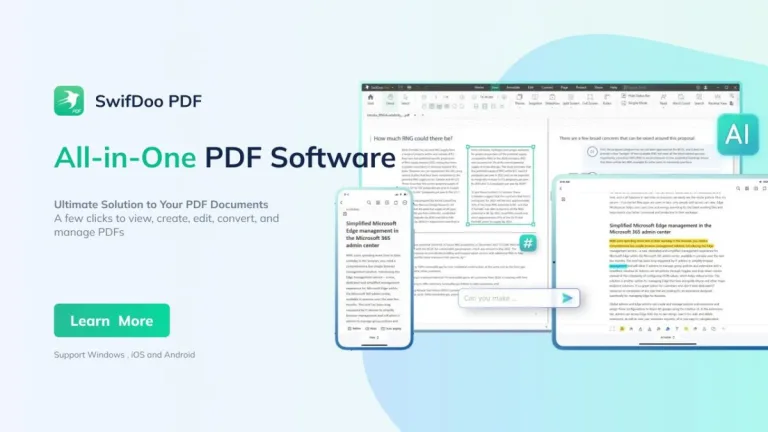
SwifDoo PDF is a document management software that enables you to quickly edit PDF files on your device. This business and productivity program is an all-in-one PDF editor tool and features a full suite of document-editing capabilities that are highly user-friendly.
Top Recommended Alternative
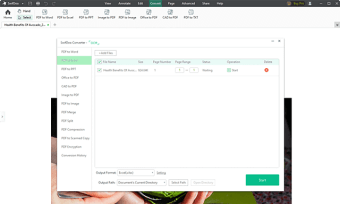
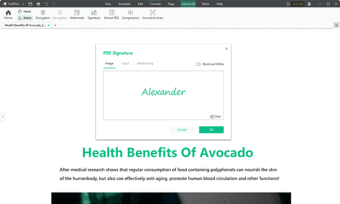
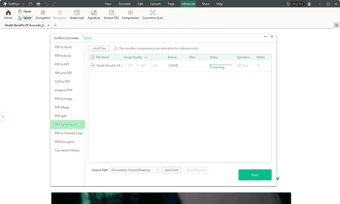
With SwifDoo PDF, you also gain access to other useful PDF utilities such as a file converter and a file compressor—allowing you to easily handle your files without having to open other programs. Additionally, the software comes with an e-signing feature and high-level security to protect your PDFs. It’s only available on desktop and has premium subscription plans.
Ease of use partnered with speed
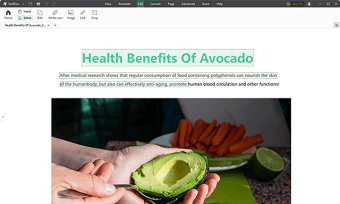
When you first launch SwifDoo PDF, you get a handy user guide PDF at the ready. It lays out the seven important features of the software: Edit, Annotate, Compress, Merge & Split, Convert, Watermark, and Sign. Take note that not all of these have dedicated tabs or buttons on the main taskbar since the program uses various toolbars on the interface. Still, this user guide clearly outlines how to use them.
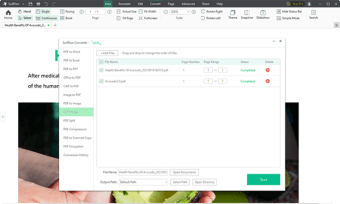
There’s no interactive tutorial to point you to each button directly but the software is still easy to use. At the very top of the screen are the main tabs, similar to how office suite programs work. You can easily add, change, or delete text, links, and images with these tabs. It also allows for the merging and splitting of PDF pages and adding of digital signatures and annotations.
For its converter tool, the supported popular formats are PNG, JPG, TIFF, BMP, CAD, Microsoft formats, and more. Its compressor also offers three different image qualities. This PDF program is pretty lightweight and is thus lightning-quick with its processes. There’s a free 7-day trial and you can extend this to 15 days if you register for an account. However, to fully use all features, you must buy the premium version.
A full-blown PDF suite
All in all, SwifDoo PDF is a great choice for a PDF manager software if you want something that’s both easy to use and fast. It has a wide variety of editing tools and even lets you convert and compress your files. Additionally, it’s highly secure and has a user-friendly guide for you. It even has a free trial to let you test it and has various subscription plans.